2021/09/10 時点だと --region us-east-1 が必要だった。でないと
Could not connect to the endpoint URL: "https://api.ecr-public.ap-northeast-1.amazonaws.com/"というエラーがでる。AWS 管理コンソール上は東京リージョンで存在を確認できる。
作成
AWS 管理コンソールでの作り方は パブリックリポジトリの作成
aws ecr-public create-repository --repository-name hogehoge --region us-east-1削除
aws ecr-public delete-repository --repository-name hogehoge --region us-east-1push までの流れ
- push する前にログインする( public とはいえ push にはログインが必要
- ビルドする
- タグづけをする
- push
aws ecr-public get-login-password --region ap-northeast-1 | docker login --username AWS --password-stdin public.ecr.aws/hoge
docker build -t test-20210910-1 .
docker tag test-20210910-1:latest public.ecr.aws/hoge/test-20210910-1:latest
docker push public.ecr.aws/hoge/test-20210910-1:latest
push の手順は各リポジトリにある。
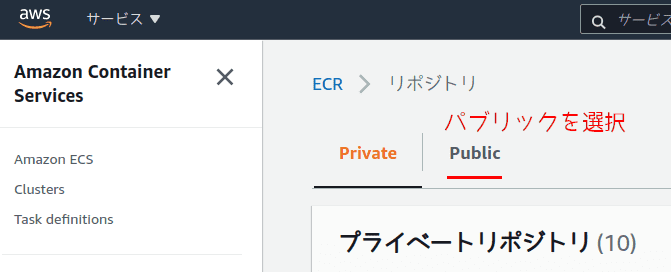
- パブリックを選択
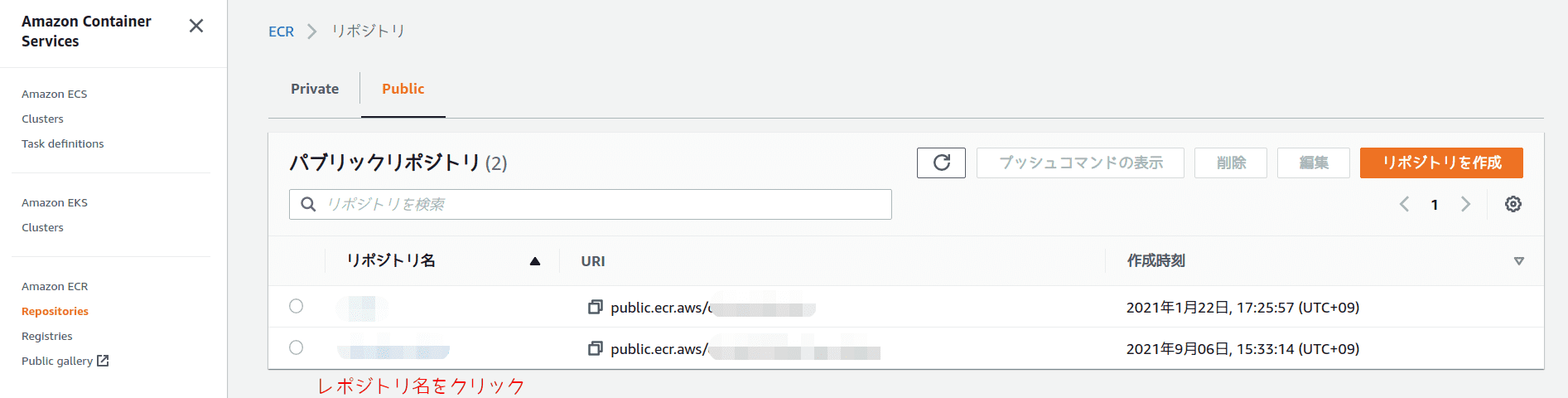
- リポジトリ名の箇所をクリック。
- [プッシュコマンドの表示]をクリック

参考
Using Amazon ECR with the AWS CLI CLI での始め方が書いてある。